Guided assembly and inspection at every station
An MES for discrete manufacturers. Station tablets walk operators through each step and check every inspection and test reading against your limits. Failed units go to guided rework, and every result is saved to the unit's record and your live dashboards.
- Digital work instructions
- Inspections and test readings
- Guided rework
- Serial and lot traceability
- Live line displays
- AI reports, answers and MCP
Bring one line and we'll set it up with you.
From kickoff to your first tracked unit in days
If your floor runs on paper travelers or spreadsheets, this replaces them, one line at a time.
- 01AssemblyInspection ✓Rework
Describe your line
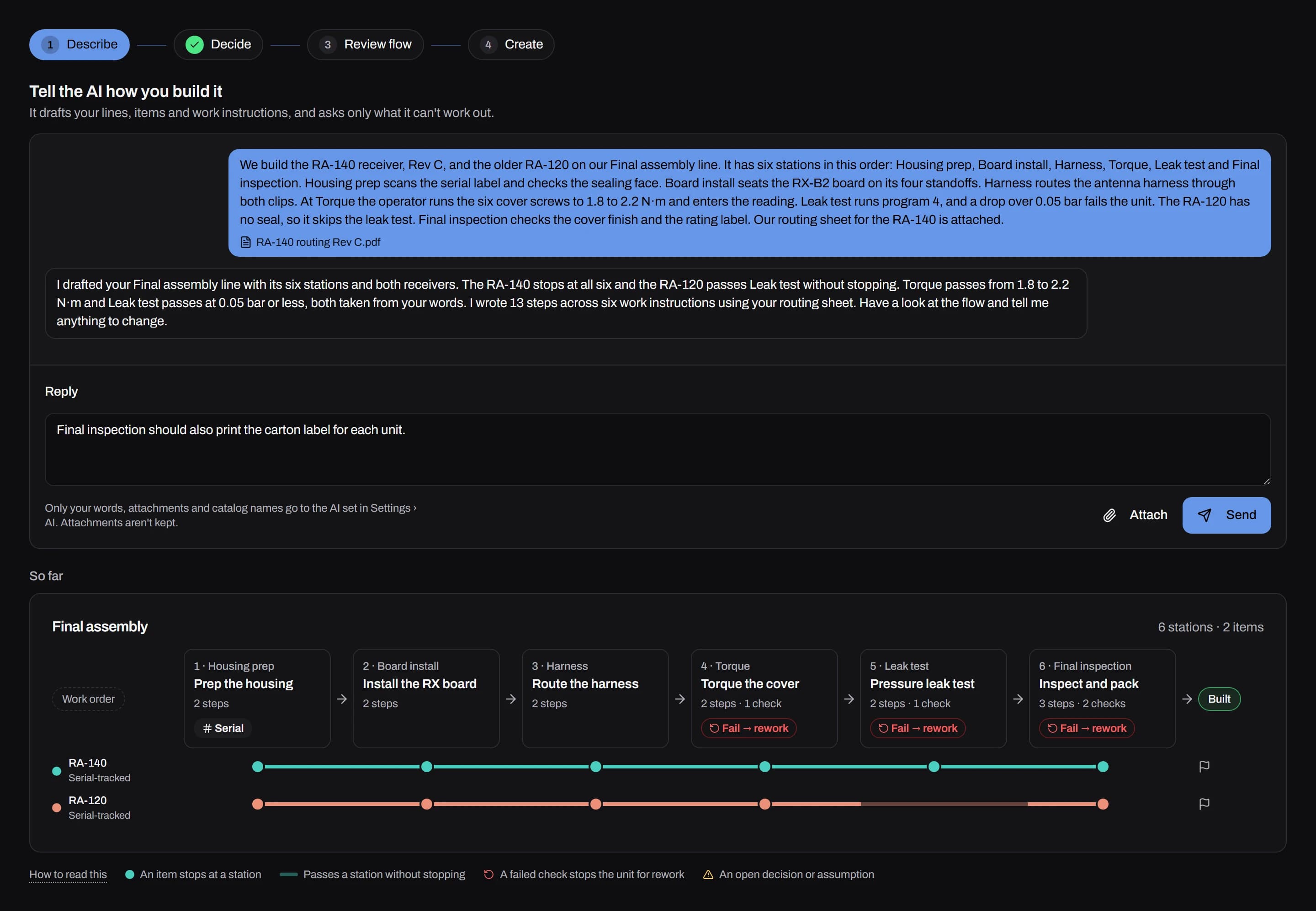
Tell guided setup how you build, in your own words or from a document you already have. AI drafts the items, stations and steps for you to review, or you can import them from a CSV.
- 027K4-F2QOP-0147
Pair tablets, badge in
Pair a tablet with a one-time code and it becomes that station. Operators start by scanning their badge.
- 03PASSFAIL| 09:14:02 pass · 00:47
| 09:14:51 pass · 00:41Build, inspect and measure
Operators follow each step, readings are checked against your limits as they're entered, and each result reaches your dashboards as it happens.
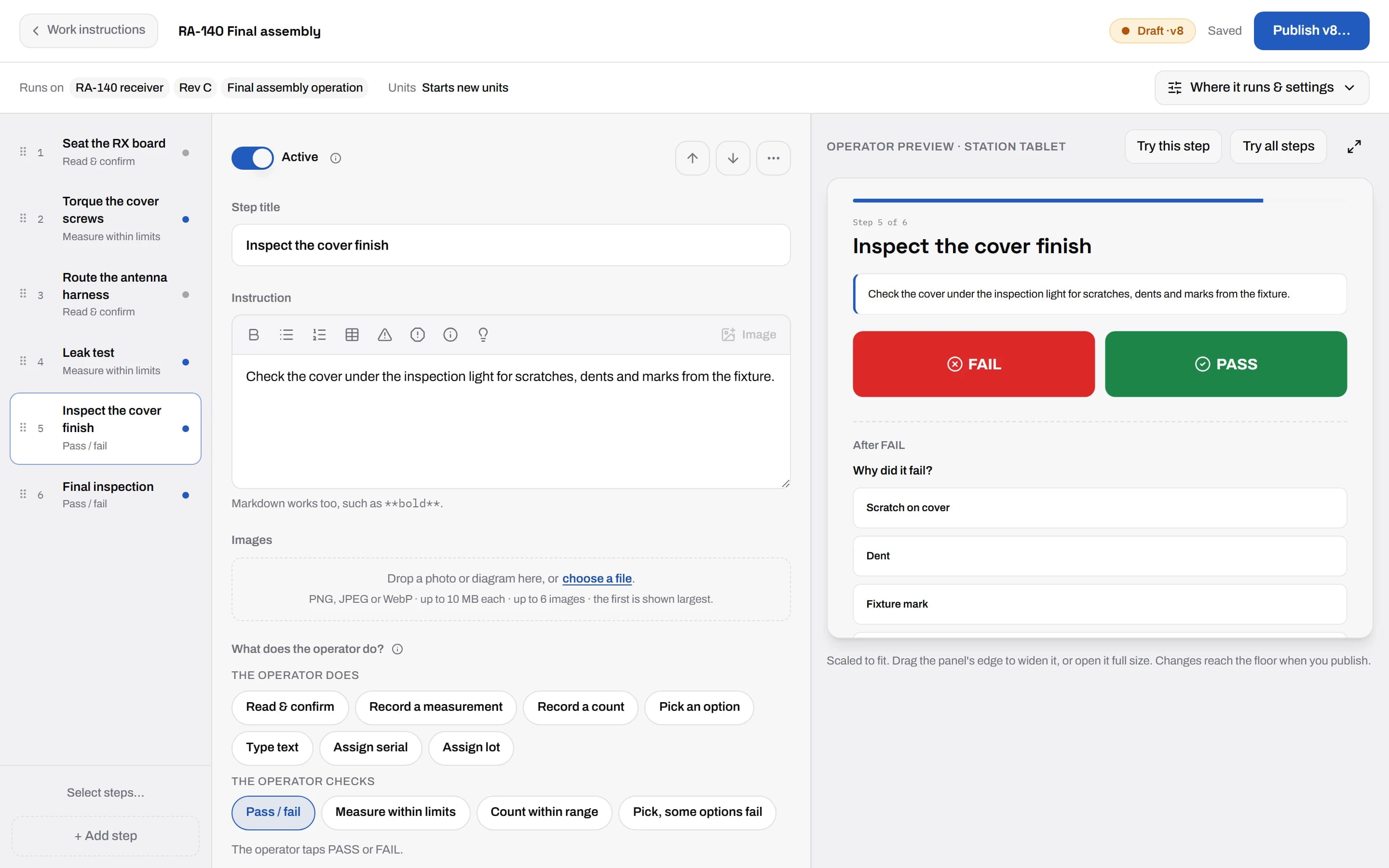
Engineers write work instructions with a live tablet preview
Add each step's photos, documents and limits, and see the step the way the operator will see it while you write. Publishing makes a new version, and each unit records the version it was built to.
- Pass or fail checks, measured readings, counts and choices
- A step can require a photo or print the unit's label
- Published versions are never edited or overwritten
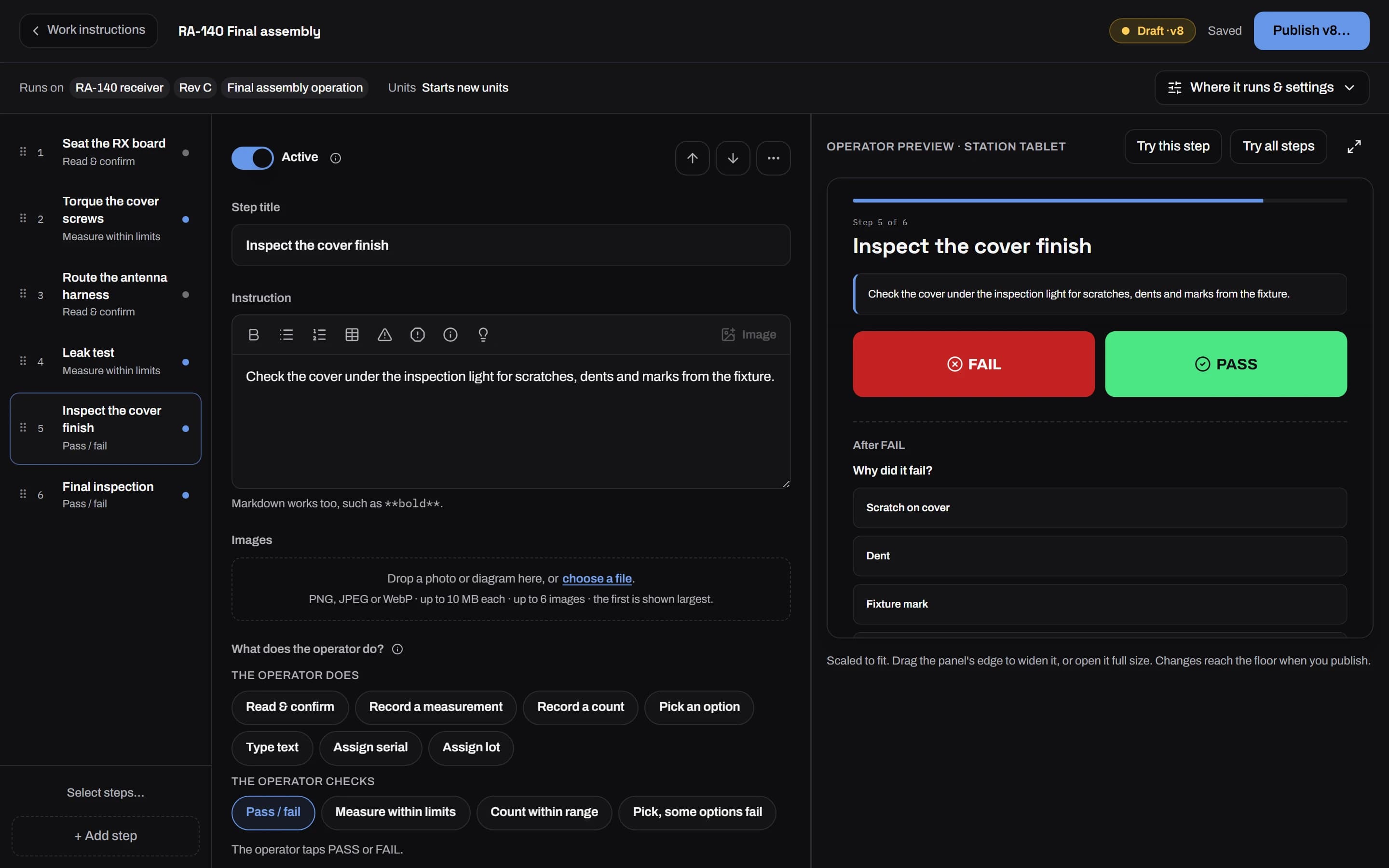
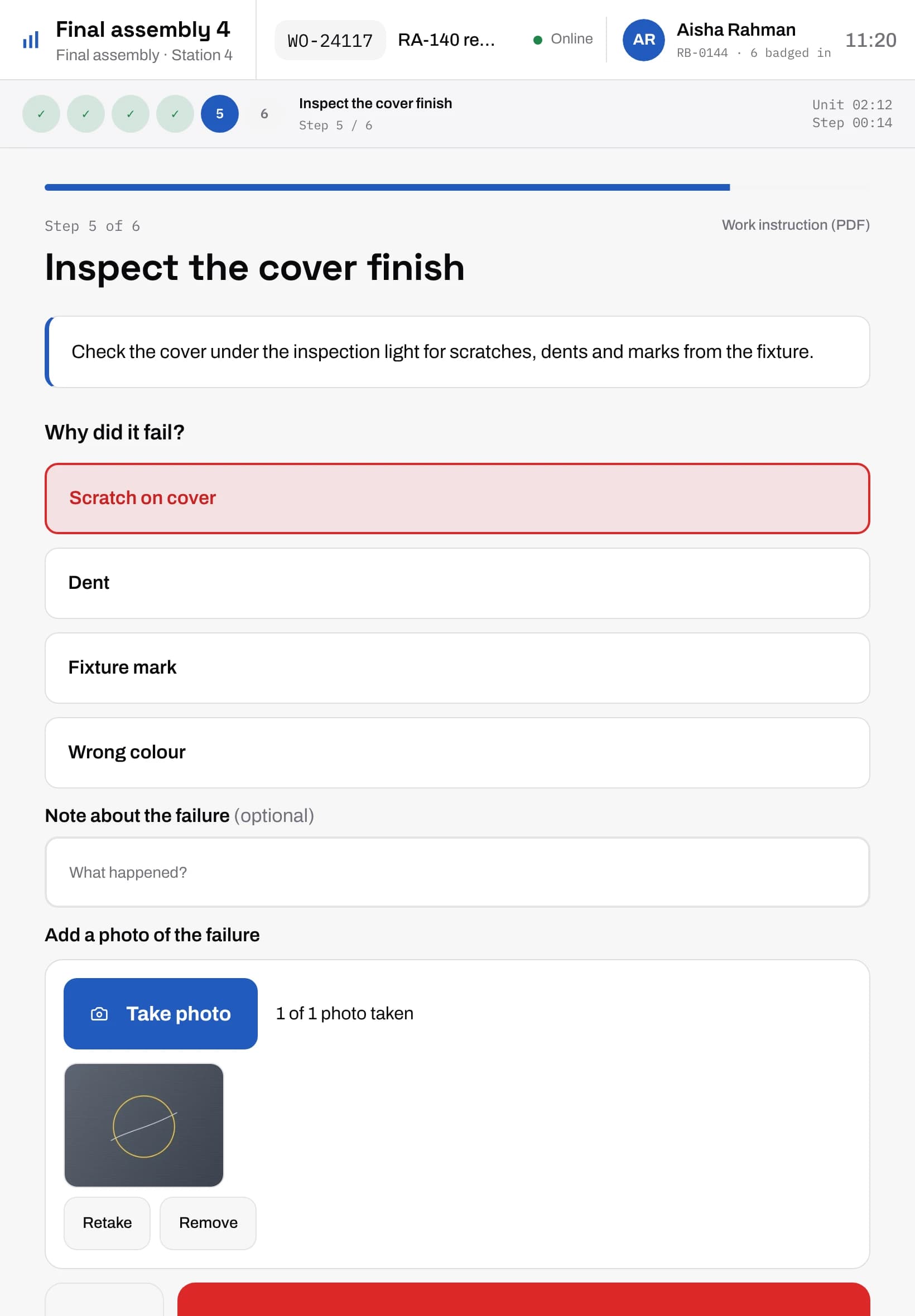
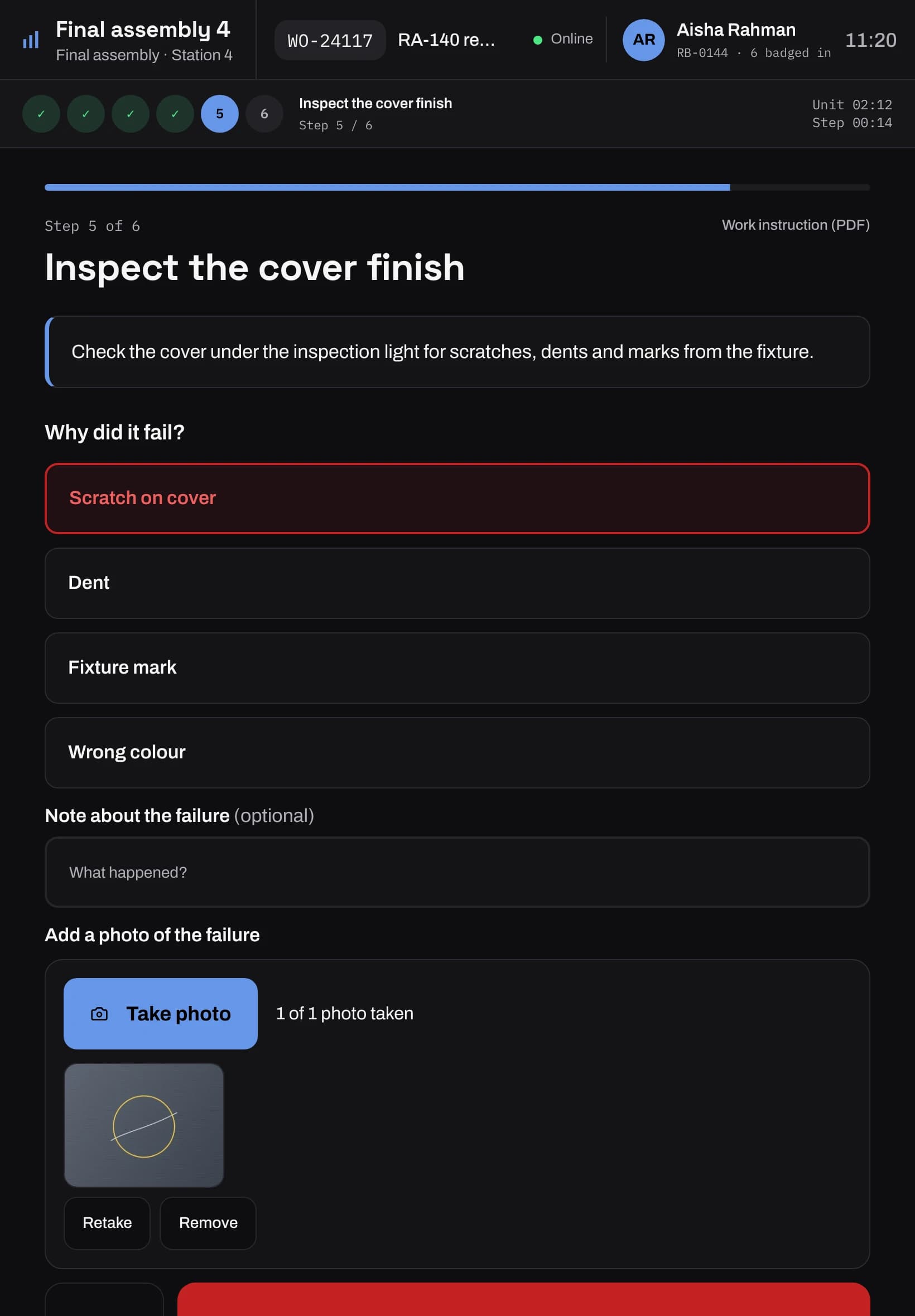
Every inspection and test reading is checked as it is entered
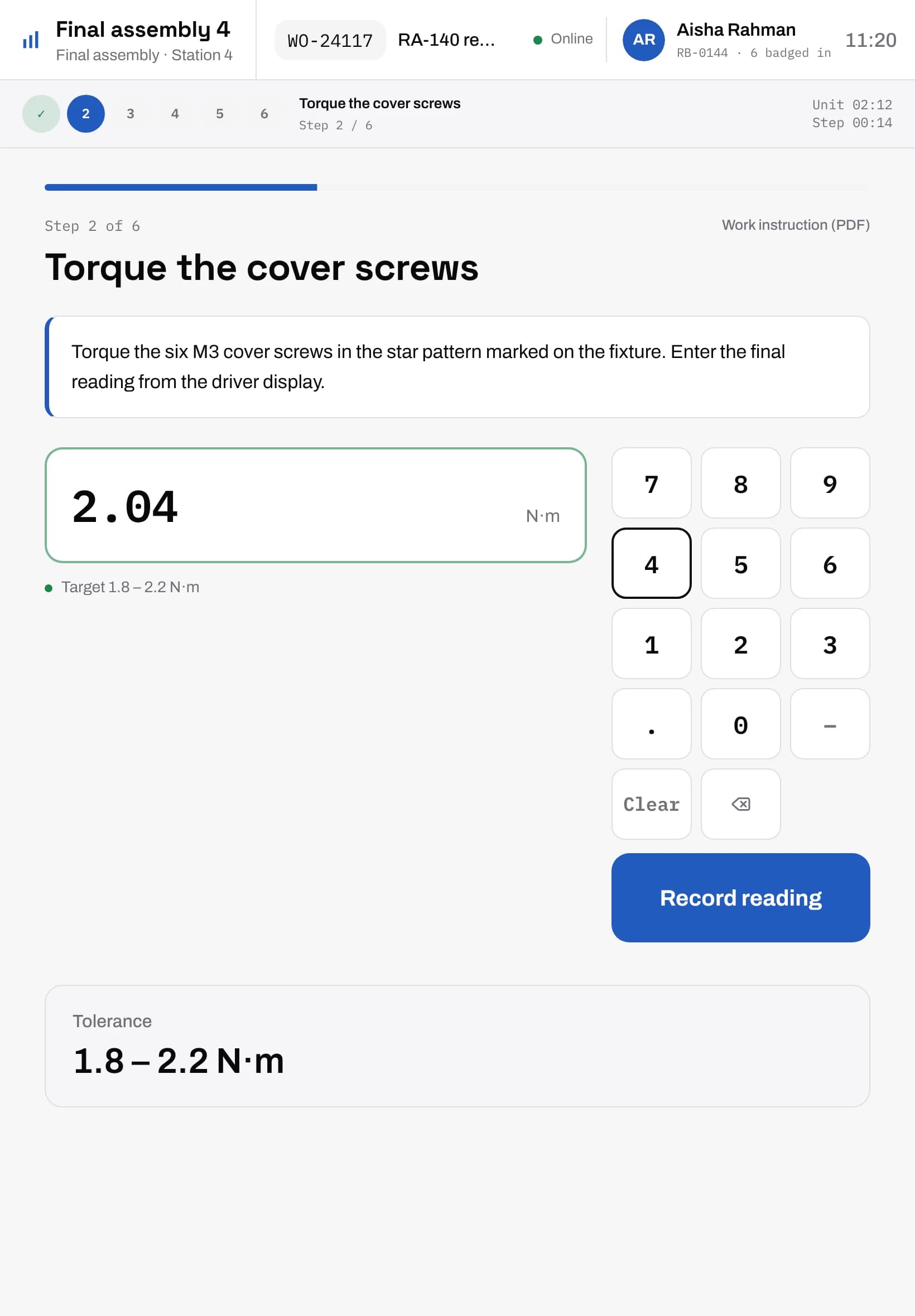
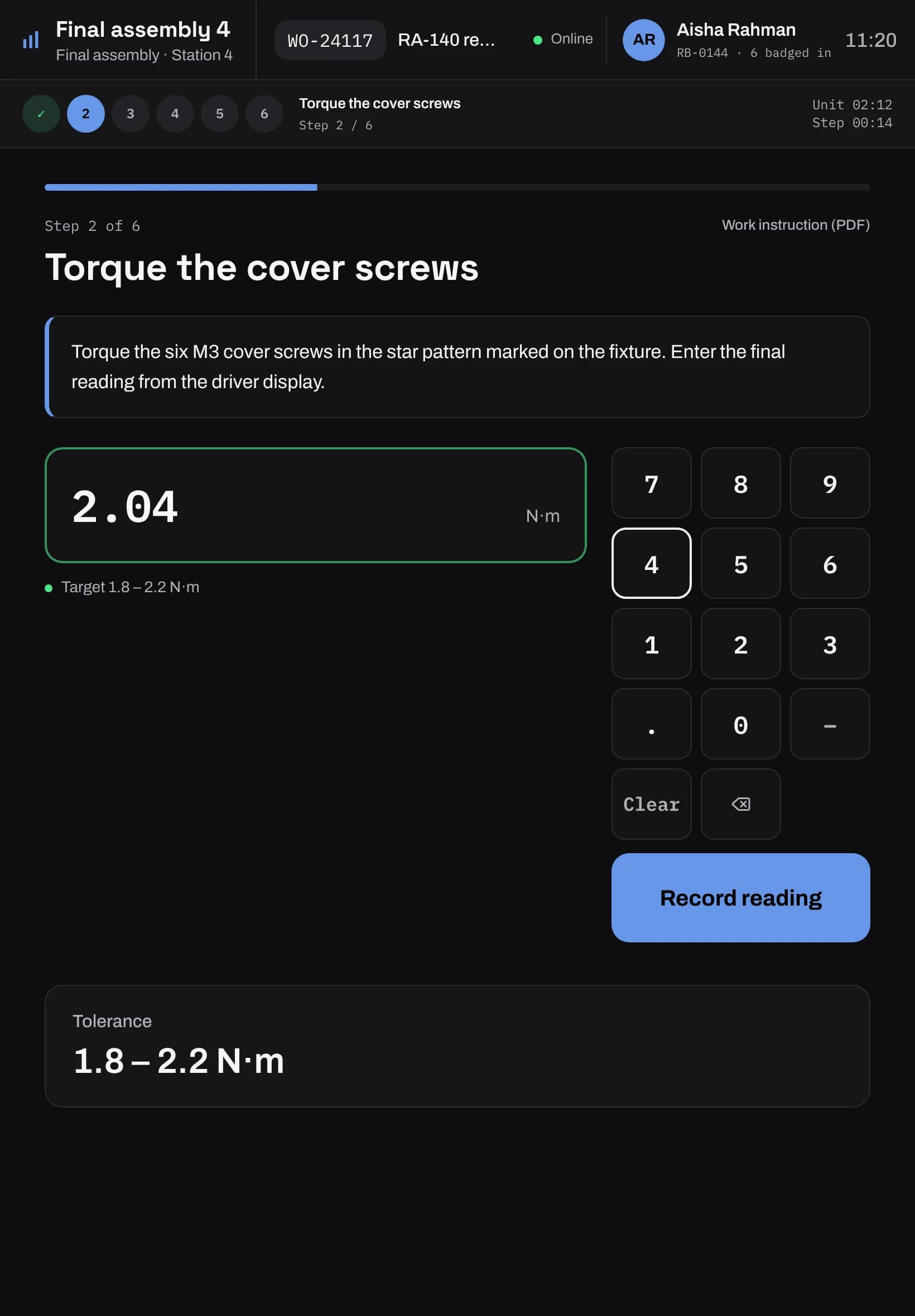
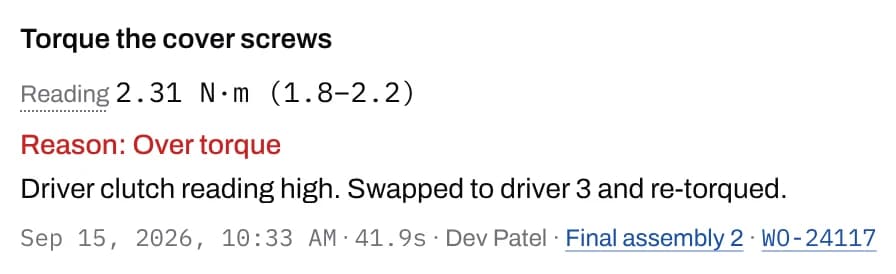
The step's limits decide pass or fail on the spot, at the station. When a check fails, the operator picks the reason from your own list and can take a photo of the defect. A failed check can let the unit continue, stop it or flag a supervisor.
- Readings with units and limits, kept on the unit's record
- Photos reviewed, marked up and accepted or rejected
- Hold a suspect unit with a reason until someone releases it
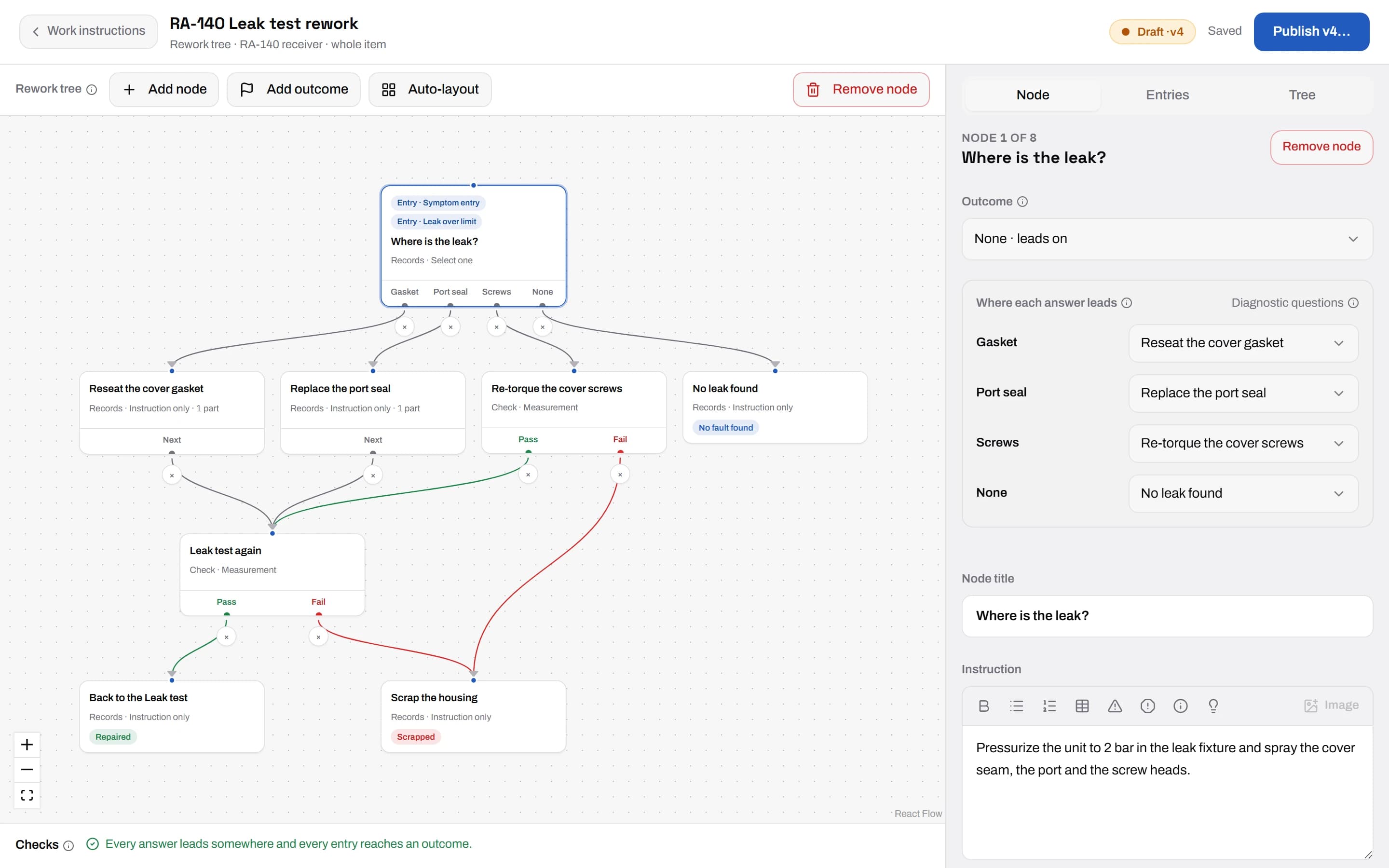
Failed units get a guided repair, then go back to test
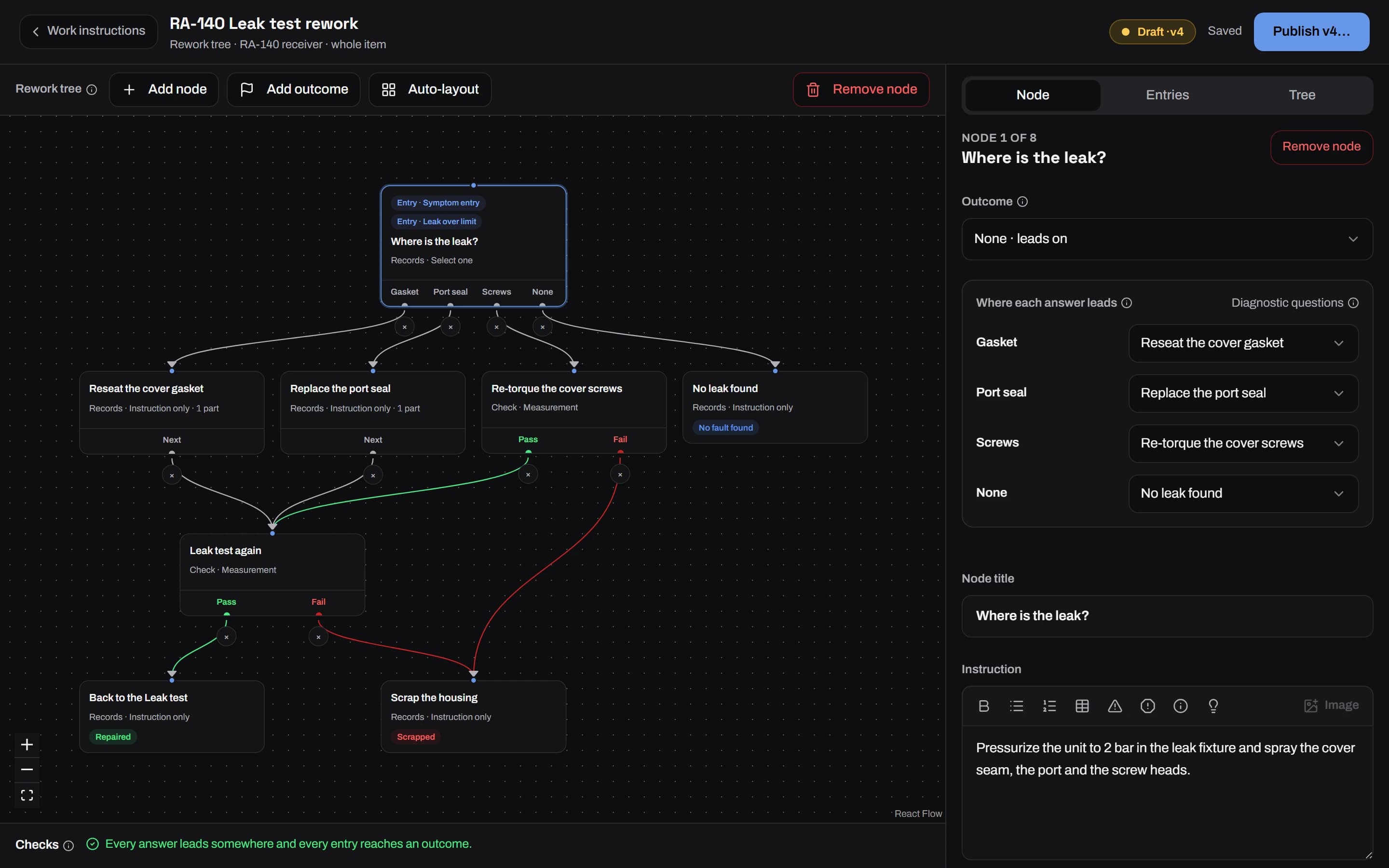
Draw a rework tree for each operation: questions that find the cause, the repair for each answer and the check that confirms it. The rework bench walks the technician through it, records the parts used, and sends the unit back to re-test only the steps that failed.
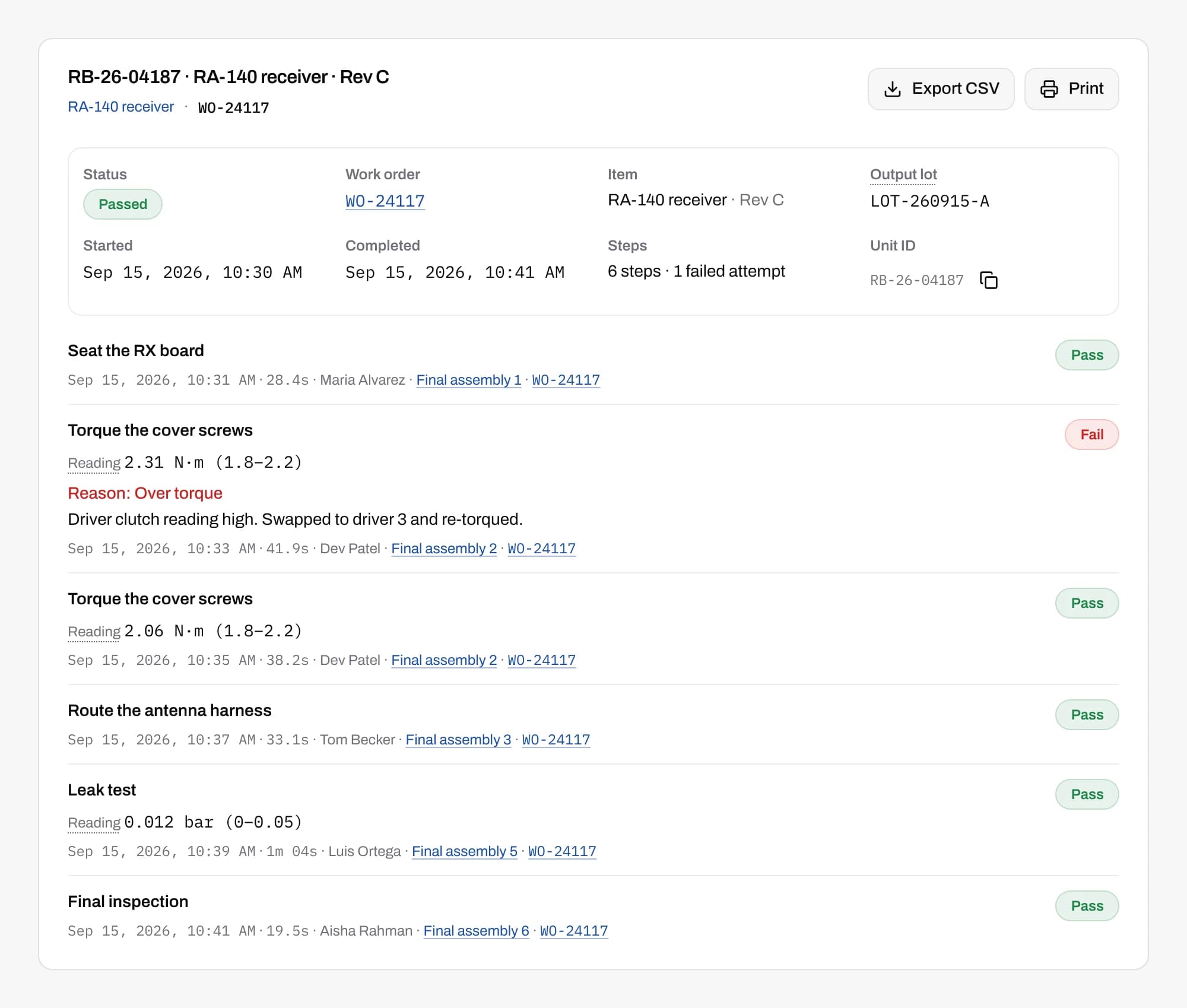
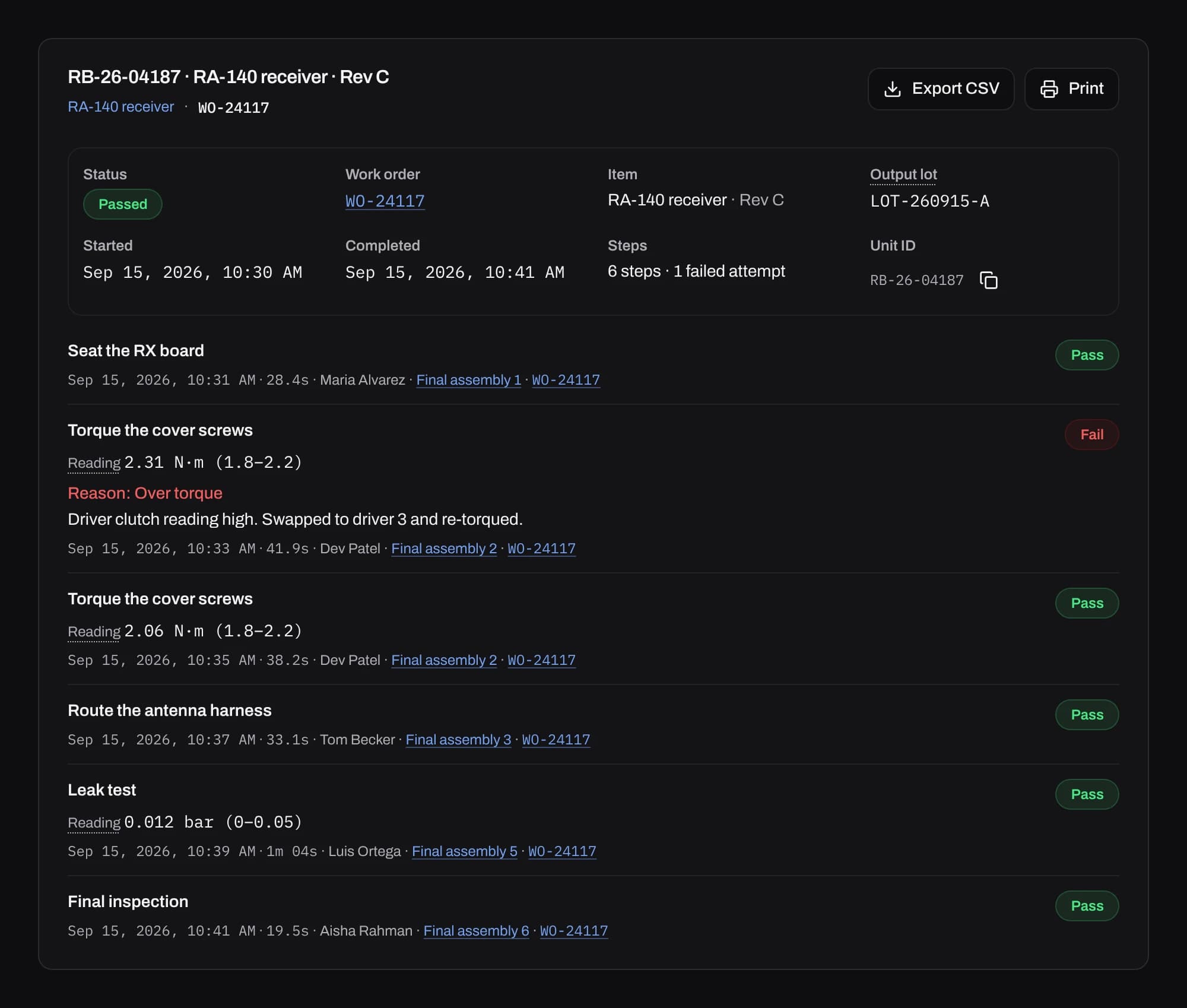
Look up any serial and see how it was built
Every unit carries its work order, item revision and each step result, with who did it, at which station and when. Repairs sit next to the steps that built it. Search by serial or lot.
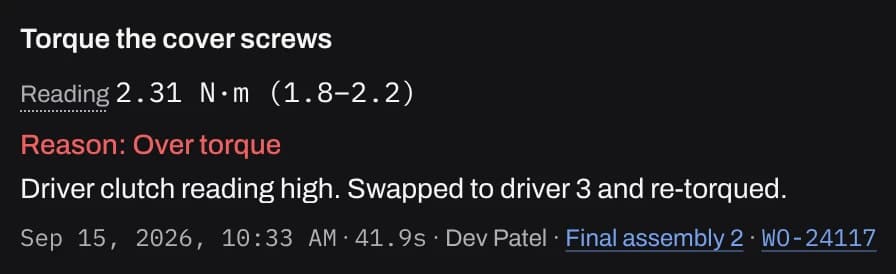
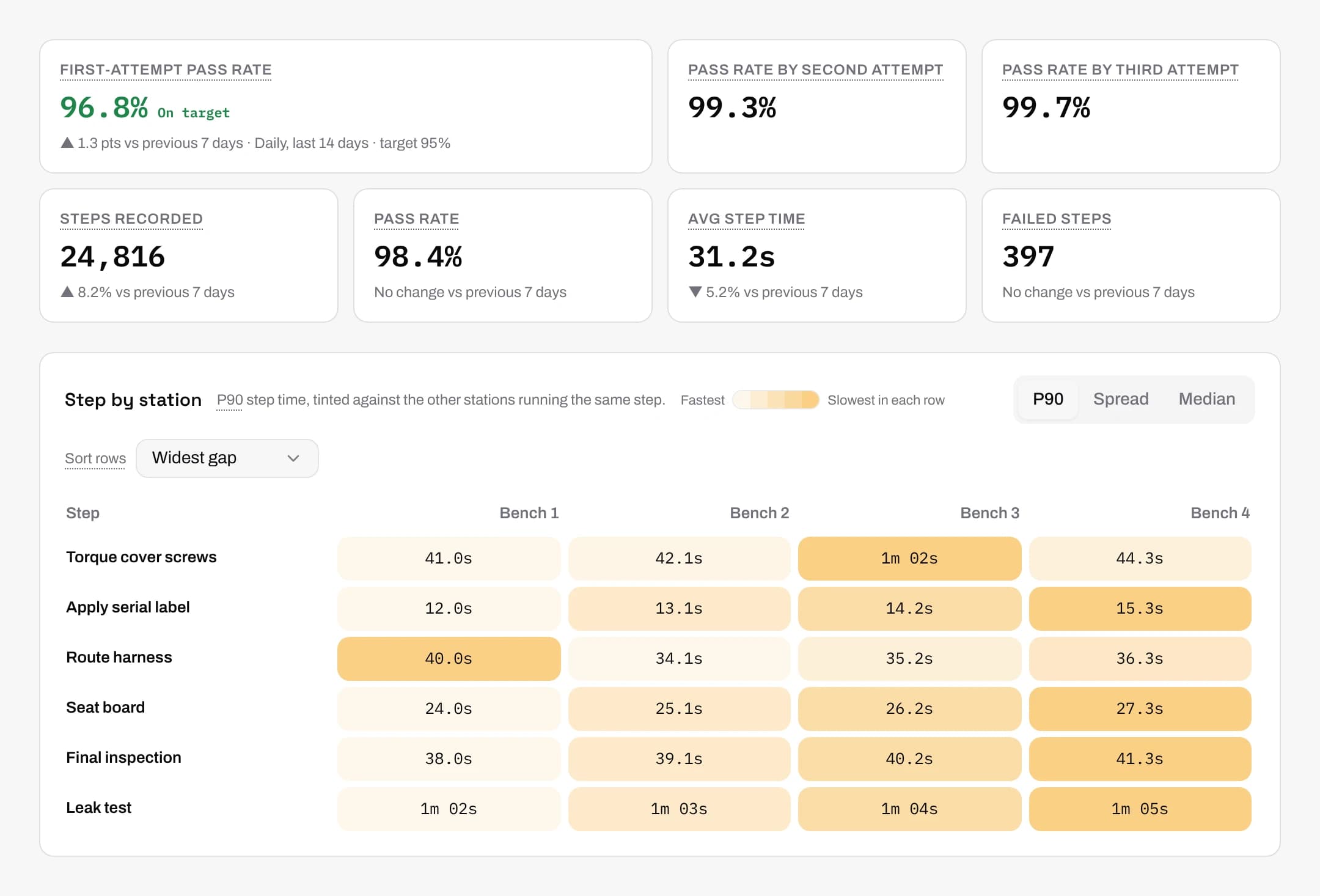
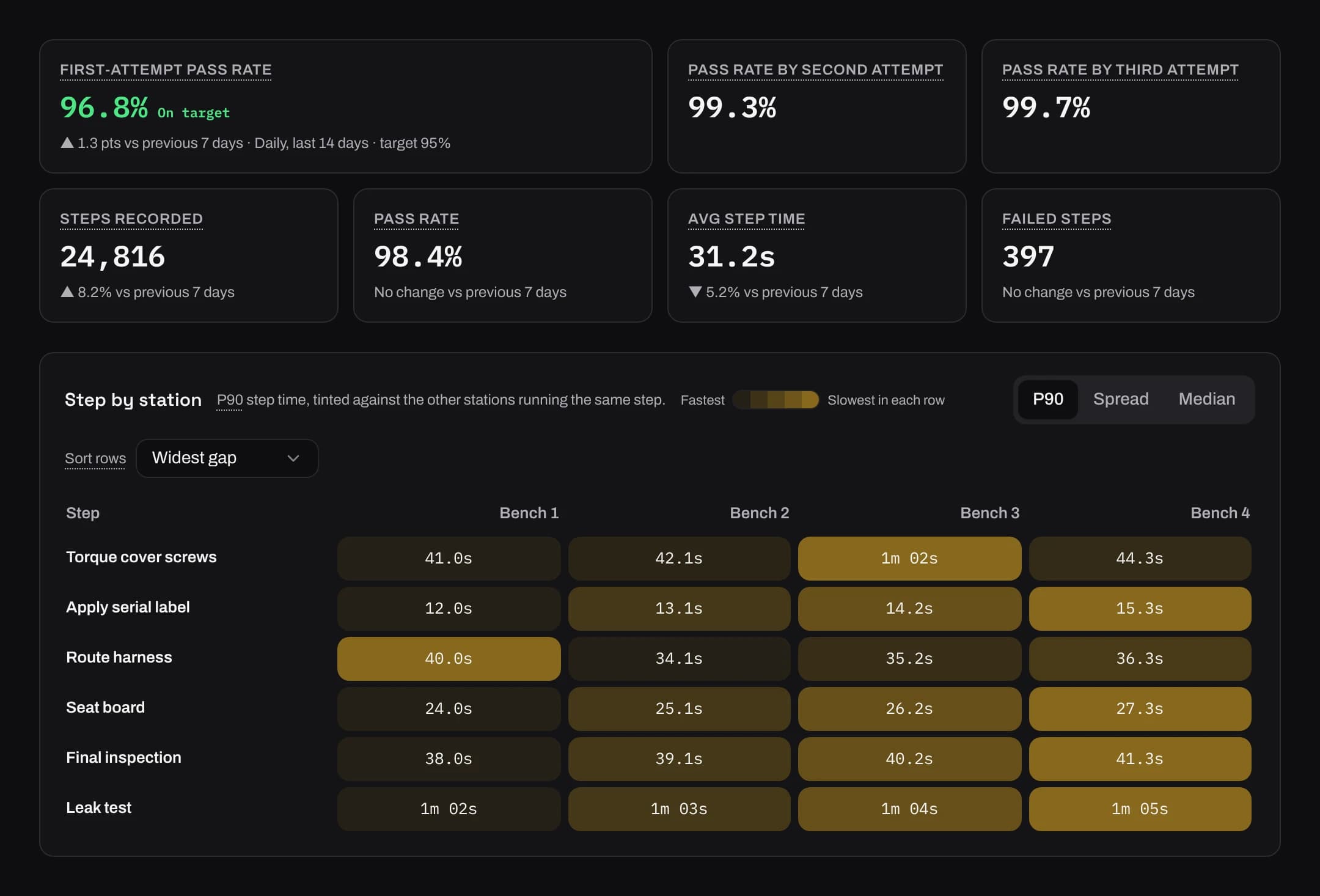
Find the slow station on every step
First-pass yield, pass rate on the second and third attempt, cycle time and failures by line, station, step, item or failure reason, from the first unit. Each figure is tied to the item, revision and instruction version that produced it, and any view exports to CSV.
AI that sets up your line and answers questions about it
It works from your own records. Each person sees only what their role allows, and an admin can turn AI off for the whole org.
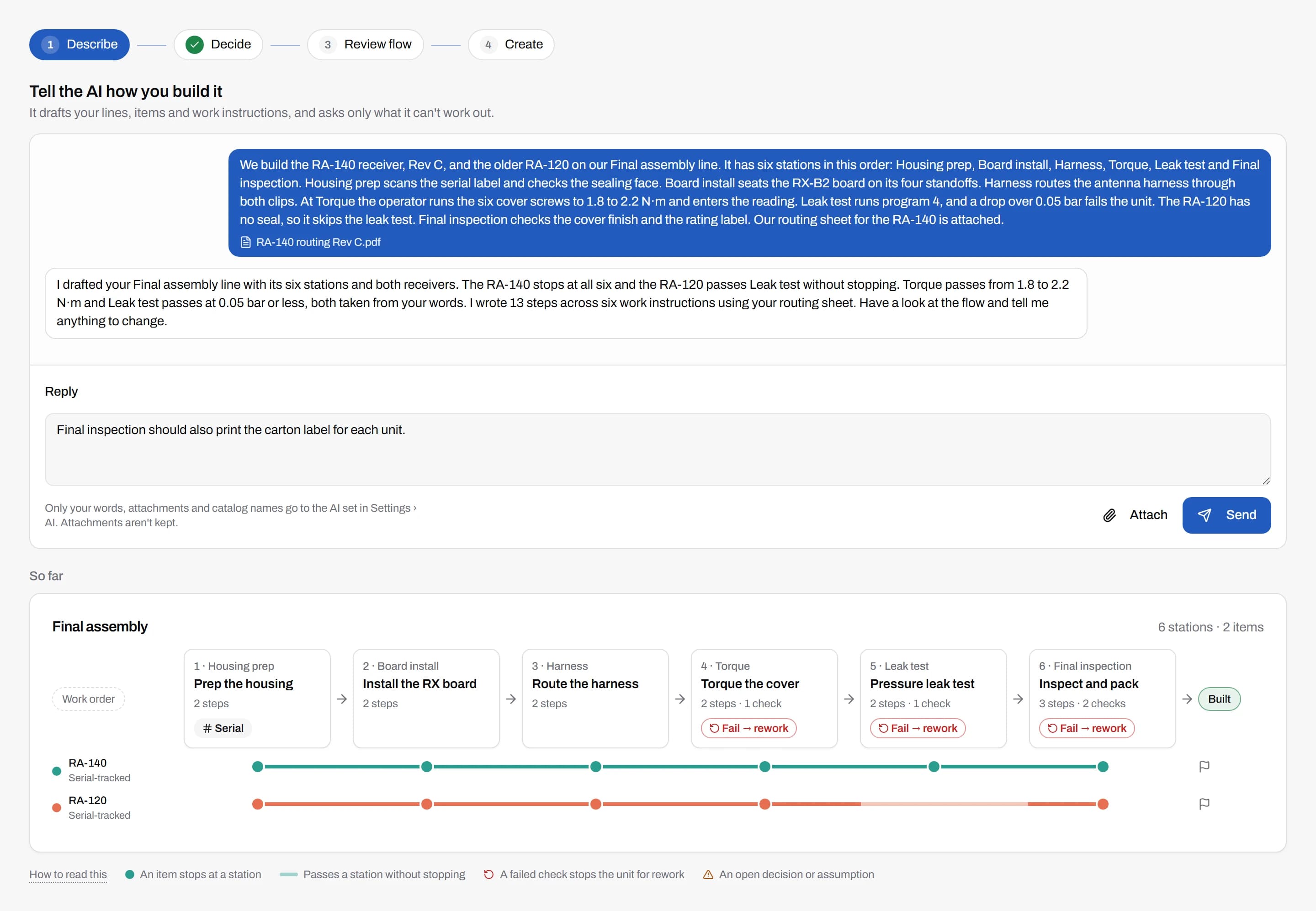
Guided setup drafts your line from a description
Describe how you build, in your own words or from a document you already have. AI drafts the items, stations and work instruction steps, with the limits you mention, and you review every change before anything is saved.
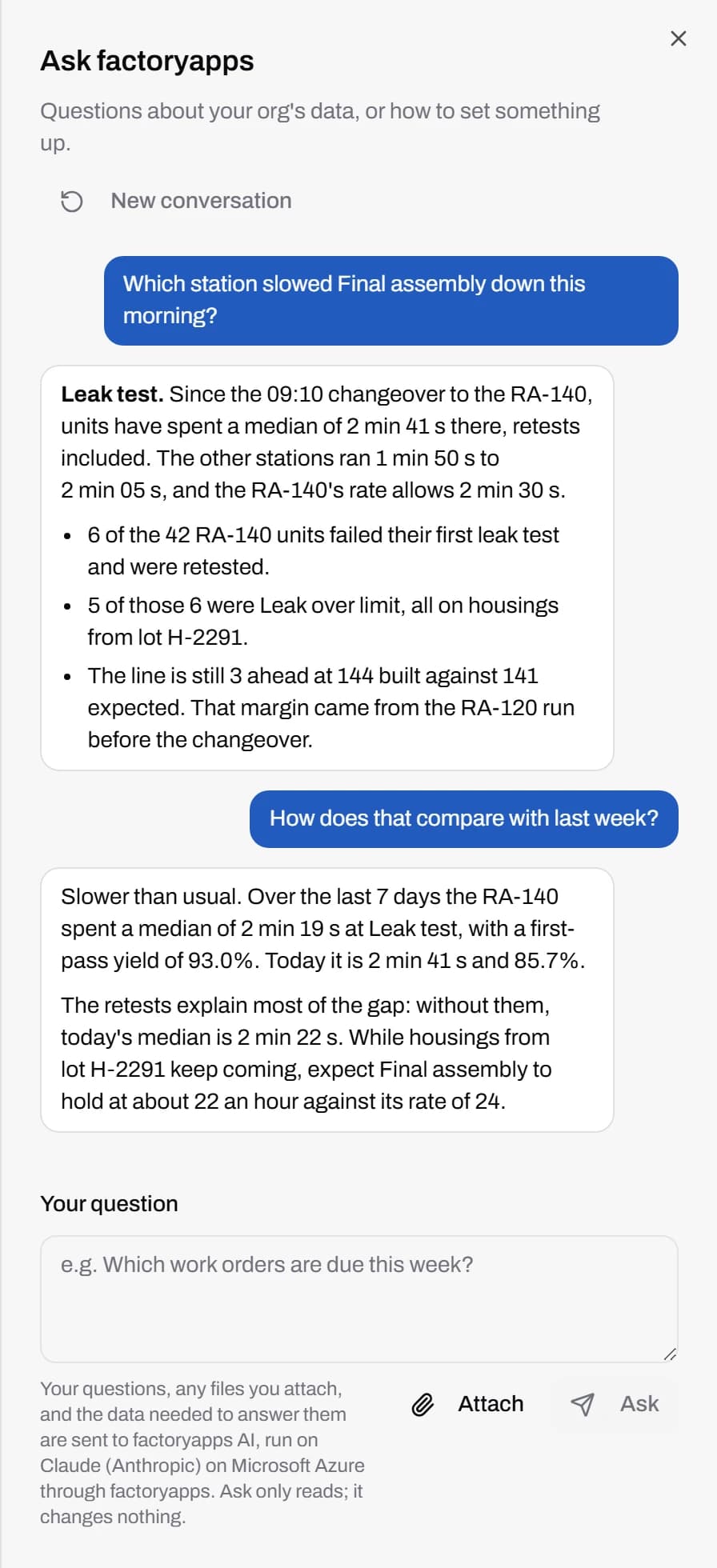
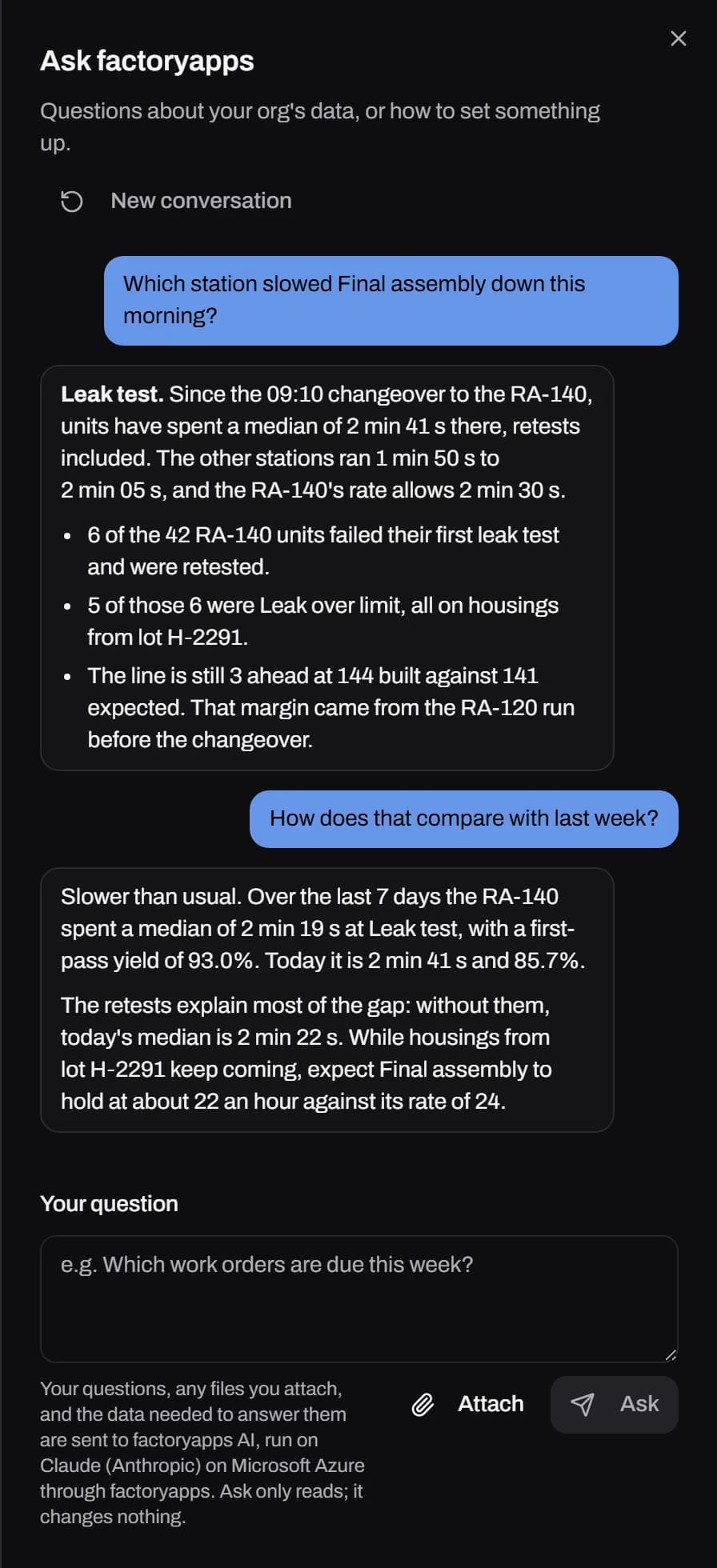
Ask about your data in plain words
Ask which station slowed a line down or how this week compares with the last, and get an answer worked out from your own records.
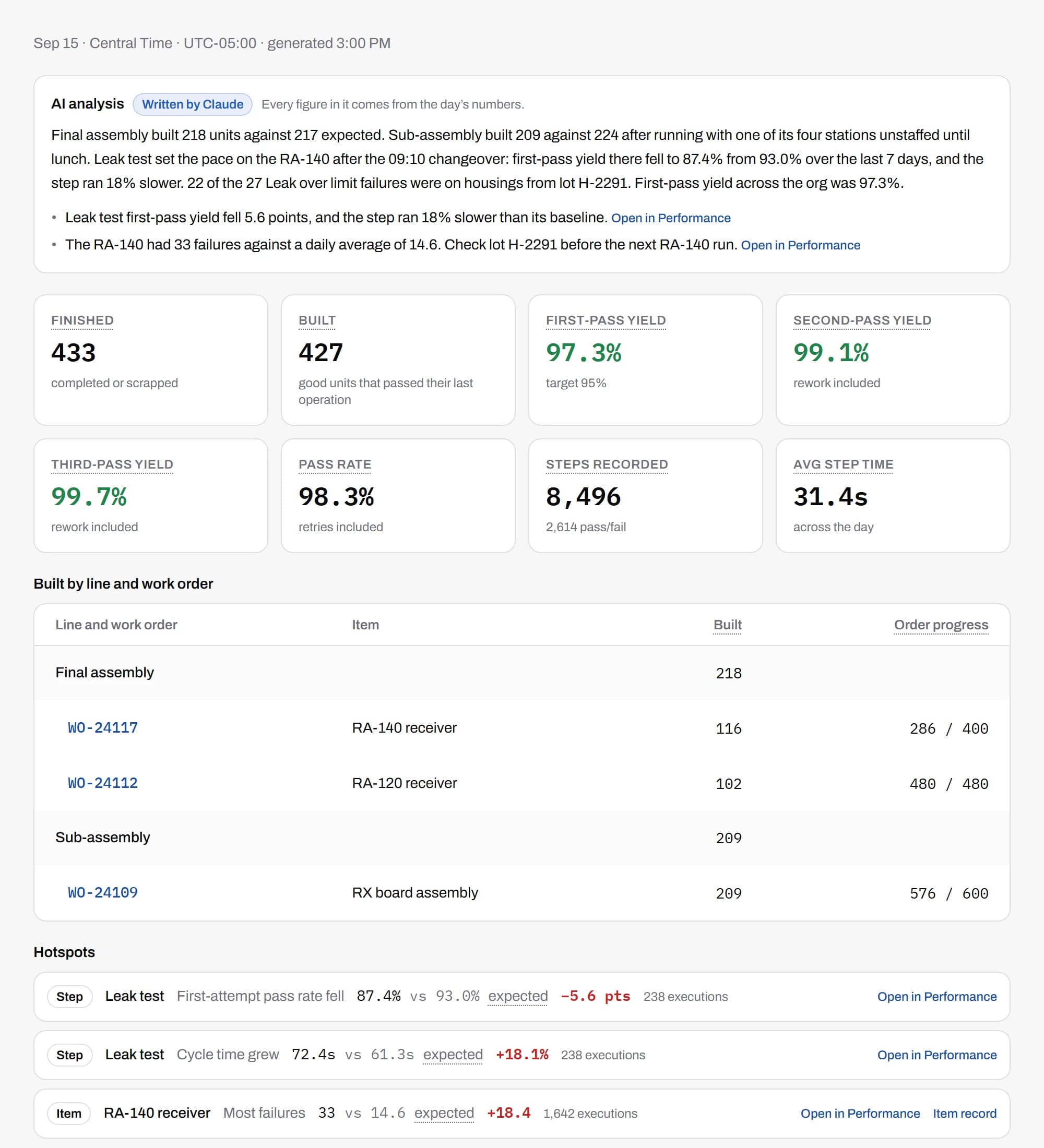
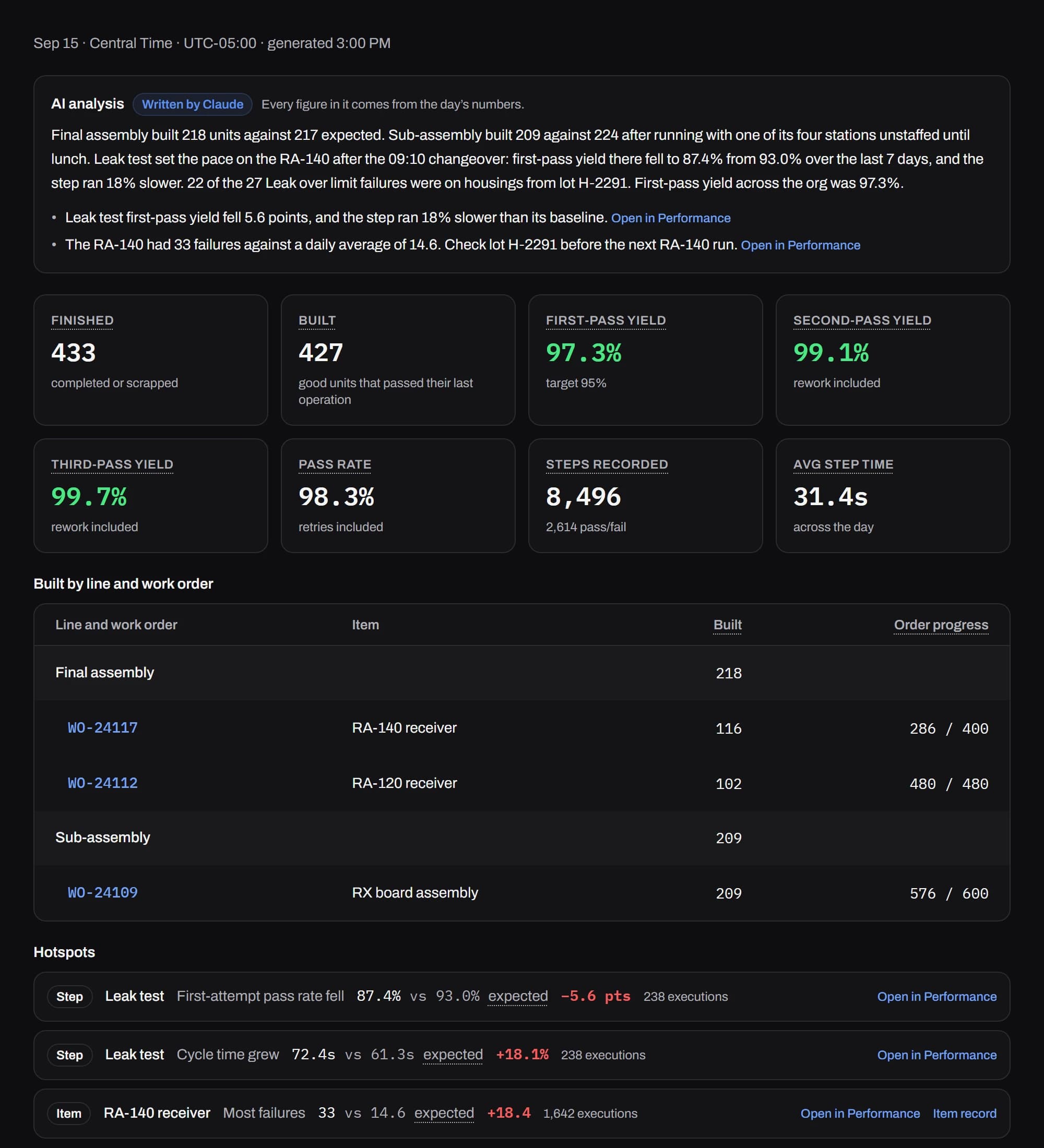
A report on each day's production
Sent by email when production ends, at a set time or after the last shift. It opens with a written summary of the day, then units, first-pass yield and the failures worth a look.
Connect Claude or your own assistant over MCP
factoryapps runs an MCP server at your org's own address. Add it as a connector in Claude or any assistant that supports the Model Context Protocol, sign in, and ask about your lines from the tools you already use.
The assistant works as you, with your role's permissions, and reads only what your role allows. We turn it on for your org when you ask.
- list_linesList production lines
- line_paceLine pace this shift
- work_in_progressWork in progress now
- units_completedUnits completed in a window
- list_itemsList items
- get_itemGet one item
- list_work_ordersList work orders
- get_work_orderGet one work order
- find_unitFind units
- get_unitGet one unit
- unit_genealogyA unit's history
- list_executionsList step executions
- daily_summaryProduction per day
- list_operatorsList operators
- production_targetsProduction targets


Labels print from the step
factoryprint is the print client that takes a label from the step to the printer.
No print dialog on the floor
A step queues the unit's serial or carton label the moment it passes. Nobody at the station picks a printer, and a step the tablet sends twice still queues one label.
One PC, the printers you already own
factoryprint runs on one Windows or Mac PC at your location and sends each label to the USB or network label printer it belongs to. It only connects out, so your network needs no open ports.
Drawn to the label in the printer
Each label is drawn at the exact size loaded in the printer. Design templates in BarcodeLabels.io and import them. Badge stickers print from any desk, with a QR, Code 128 or Data Matrix code.
Also included with every line
Training, badges, displays, hardware and the plumbing that connects them to the rest of your business.
Runs on tablets you can buy anywhere
Any recent iPad or Android tablet with a browser becomes a station, and a line display runs on any TV with a browser stick. USB and Bluetooth barcode scanners need no setup.
Training and certifications
Track who is certified for which station, item and work instruction in one matrix, with expiry dates. Badge-in can stop an operator who isn't certified, and AI drafts a quiz from a work instruction for you to review.
More on training →Badge in with the cards you already carry
Operators badge in with the tablet camera, a barcode scanner, or a card reader that reads the prox cards they use on the door. They don't need their own login.
Scan the unit at each station
The operator scans the unit's serial to open it, so every step is recorded against the exact unit in front of them. A serial that doesn't match the item's format is refused.
Live display for each line
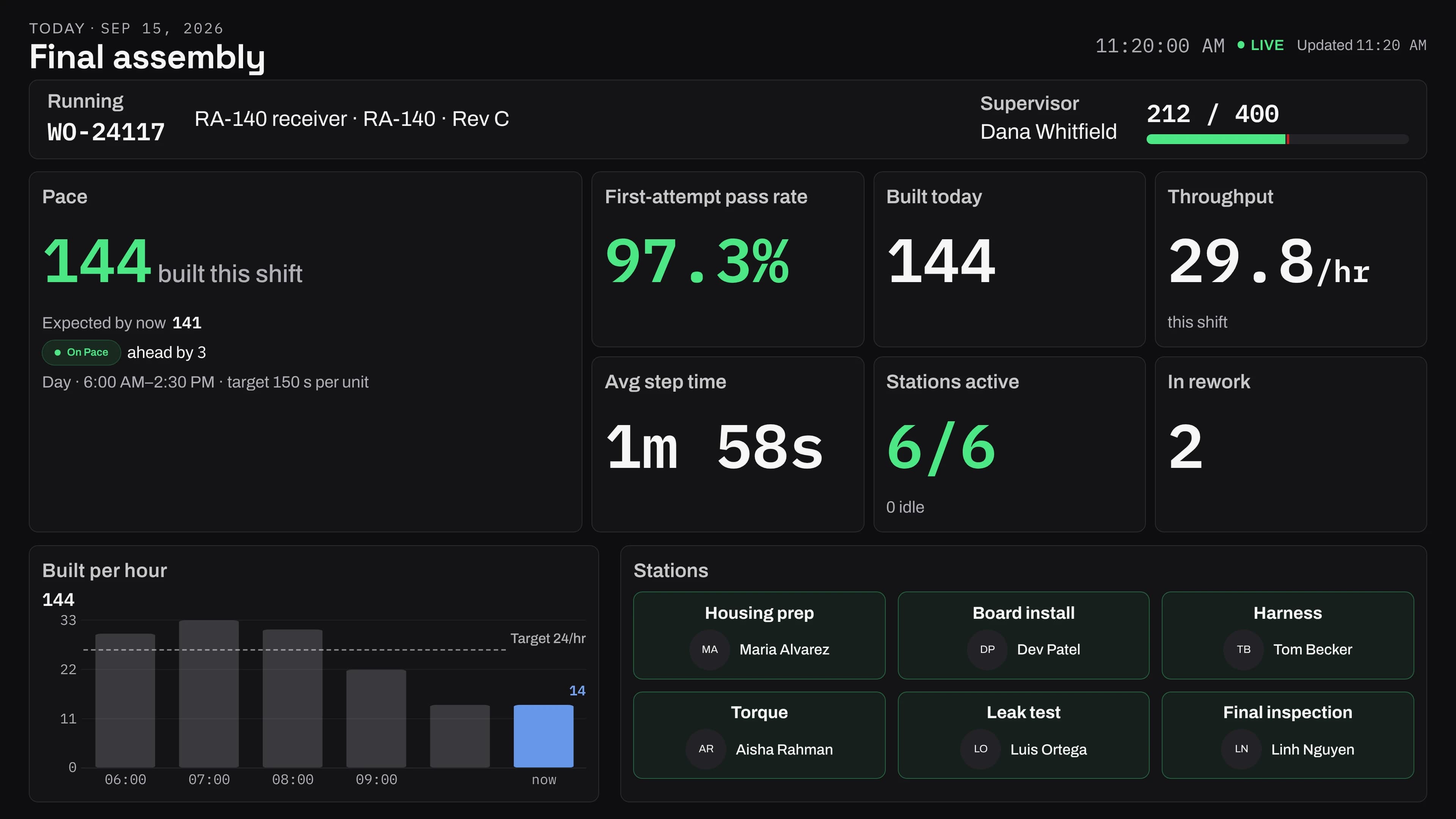
A TV at the end of the line shows the work order, pace against target, output per hour and who is at each station, updated as units pass.
More on line displays →CSV in and out
Import items, operators, work orders and failure reasons from a spreadsheet, and preview the changes before saving. An empty export is the template.
Start without an ERP
Create work orders in the app or import them from a spreadsheet. If you run NetSuite or Epicor Kinetic, export from it as CSV today. The app and the tablets run on /api/v1, a versioned API your own systems can grow into.
Working beside NetSuite and Epicor →Made for patchy Wi-Fi
When the connection drops, the tablet retries and tells the operator about anything it couldn't save.
Hosted in the US
Runs in our US cloud on Microsoft Azure, so there is nothing to install on your network. A dedicated deployment is available for organizations that need it.
A permanent record
Step results and published instruction versions are never edited or overwritten.
Lost tablets stop working
Unpair a lost tablet from the admin app and it stops working at once.
AI you control
AI answers only from what each person's role can see, and an admin can turn it off for the whole org.
Priced for your floor
Pricing depends on how many lines and stations you run. Tell us about your floor and we'll send a proposal.
Common questions
What hardware do we need?
Any recent iPad or Android tablet running a browser. Most floors use ~$200 10-inch tablets in kiosk mode. Line dashboards run on any TV with a browser stick. USB and Bluetooth barcode scanners need no setup.
Where do work orders come from if we don't run an ERP?
Create and release them in the app, or import them from a CSV. A supervisor then opens a session that runs a released order on a line.
How are test readings recorded?
The operator enters each reading on the tablet, and the step's limits decide pass or fail on the spot. A failed check can let the unit continue, stop it, or flag a supervisor, and every reading stays on the unit's record.
How does traceability work?
Every unit carries its work order, item revision, output lot and every step result, with who did each step and when. Traceability finds any unit by serial or lot and shows that whole history.
Do operators need their own login?
No. Operators badge in at the station with the cards they already carry, and every step is recorded against their badge. Logins are for the supervisors, engineers and admins who set up and watch the floor.
Start with one line
Leave a work email and we'll set up your first line with you, and talk pricing for your floor.